Cross a waveguide cutoff
Adjust the controls, inspect the calculated response and use the reading links to place the model in its physical context.
Interactive model: Cross a waveguide cutoff. Enable JavaScript to adjust its controls.
β/k_c = √[(f/f_c)² − 1]
Ideal uniform vacuum rectangular guide, TE₁₀ mode, perfectly conducting walls and no loss. Below cutoff, β is imaginary and the depicted field is evanescent. Finite barrier transmission requires a separate matching calculation.
What this model assumes
Ideal uniform vacuum rectangular guide, TE₁₀ mode, perfectly conducting walls and no loss. Below cutoff, β is imaginary and the depicted field is evanescent. Finite barrier transmission requires a separate matching calculation.
How to explore it
Begin with the default values. Change one control at a time and watch both the graph and the readouts. Then reset the model and change another parameter. This isolates which input produces the effect you are seeing.
The plotted values are generated from the displayed equation. Downloading the calculated data lets you inspect the numerical series or compare it with a calculation of your own. The data are synthetic model outputs, not observations from an apparatus.
Before carrying a prediction into an experiment, match the model’s assumptions to the actual system: the relevant degrees of freedom, boundary conditions, noise, losses and measurement convention. The linked articles explain which comparison is physically meaningful.
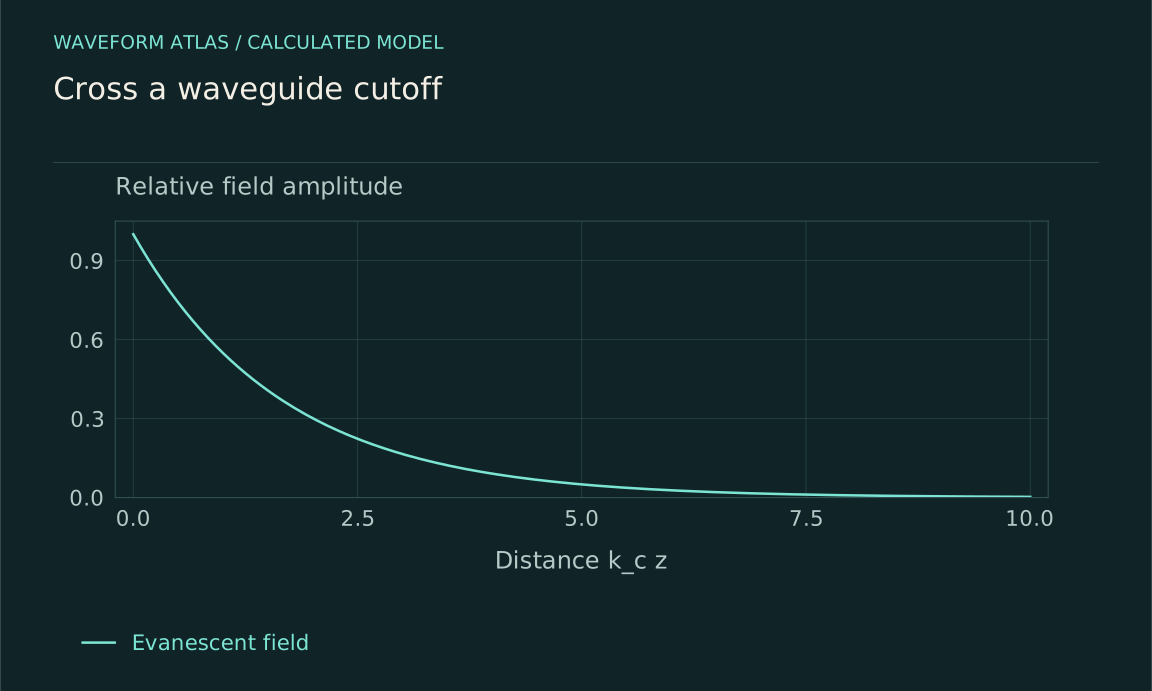
Calculated model curves. Ideal uniform vacuum rectangular guide, TE₁₀ mode, perfectly conducting walls and no loss. Below cutoff, β is imaginary and the depicted field is evanescent. Finite barrier transmission requires a separate matching calculation. Default control values are used in this fixed figure.
Download SVG ↓Blocking propagation and cutoff
A region that cannot support a travelling mode
What does blocked propagation mean in a specified wave system?
Why a hollow guide has cutoff frequencies
How do cross-section and mode type set propagation thresholds?
A decaying spatial field is not necessarily disappearing in time
How should an evanescent field be interpreted?
When a blocked region still transmits
How do barrier thickness and coupling affect tunneling or evanescent transfer?
Blocking through periodic structure
How can repeated material structure create forbidden propagation bands?
Where the incident wave goes
How can reflection be distinguished from absorption or leakage?
Confinement can preserve an excitation
How is a trapped mode different from a destroyed wave?
Switching a barrier while a wave is present
How can changing confinement exchange energy with the wave?
Measure a propagation threshold
What sweep and calibration distinguish cutoff from a weak source?
Evaluating claims of complete wave elimination
What evidence is needed beyond a dark transmission detector?